AIBE 20 Provisional Answer Key 2025 Live: Check Set A B C D Links, Objection Window Details

AIBE 20 Provisional Answer Key 2025 Live: Check Set A B C D Links, Objection Window Details

Akhand Pratap Singh
Akhand Pratap Singh

Content Writer

Published On - Dec 01, 2025 05:47PM IST
AIBE 20 Provisional Answer Key 2025 Out Check Set A–D Links.webp

The Bar Council of India (BCI) conducted the AIBE 20 Exam 2025 in an offline, pen-and-paper mode on November 30, 2025. The council will release the AIBE 20 Provisional Answer Key 2025 soon. The answer key will be provided in two phases, first, the provisional key and then the second phase is the AIBE 20 Final Answer Key 2025. Candidates will be able to download the answer key PDF from the official website.

After the release of the provisional answer key, BCI will facilitate the filing of objections by providing an objection window. Candidates who find any answers incorrect may raise their objections before the deadline. Upon the completion of the review of all the objections, the final answer key will be published by the ​‍​‌‍​‍‌​‍​‌‍​‍‌council.

AIBE 20 Exam Important Dates

Event

Date

AIBE 20 Exam 2025

November 30, 2025 ​

AIBE 20 Provisional Answer Key 2025

December 01, 2025 (tentative) ​

AIBE 20 Final Answer Key 2025

To be announced ​

AIBE 20 Result 2025

To be announced 

Steps to download the AIBE 20 Answer key 2025

Candidates may take a look at these straightforward steps to download the AIBE 20 answer key:

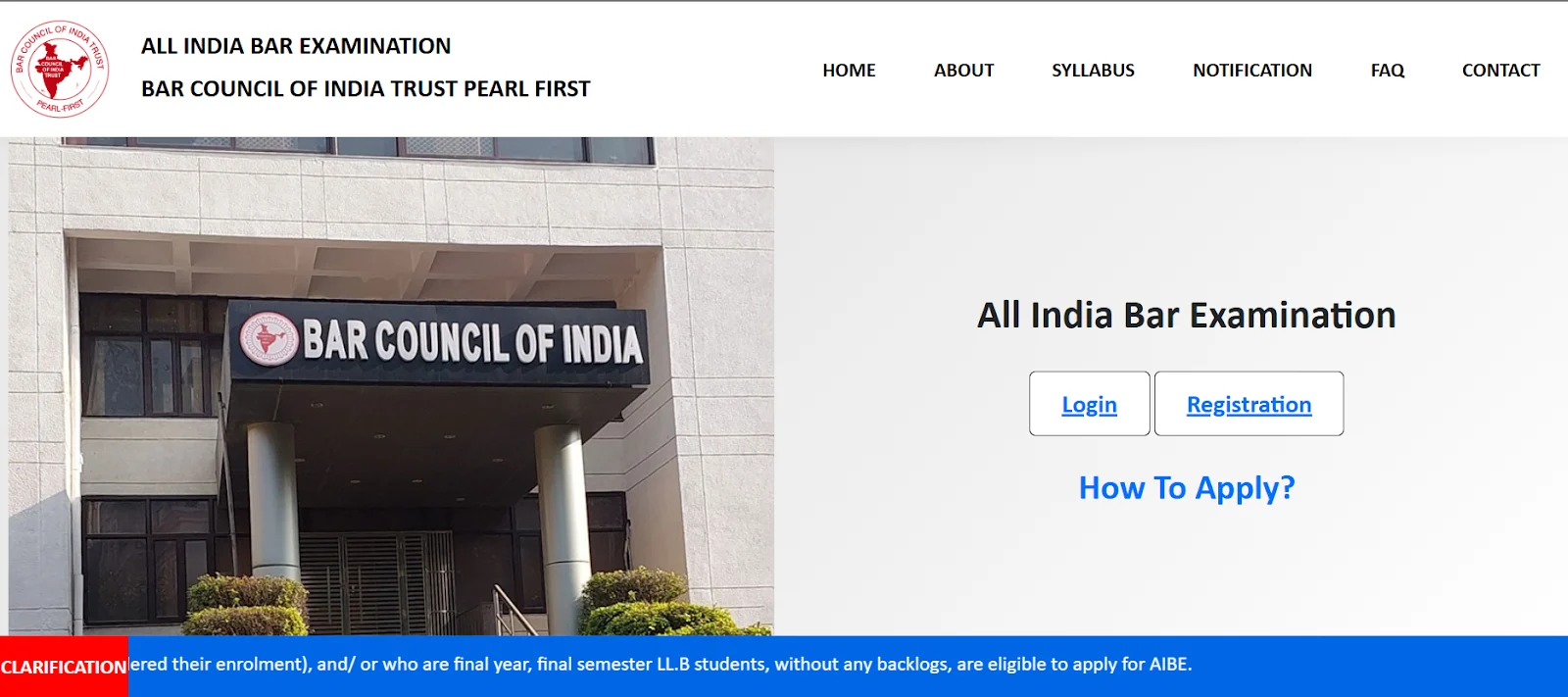
Step 1: Go to the official website at allindiabarexamination.com.

AIBE official Website.webp

Step 2: Find the link “AIBE 20 Answer Key 2025 PDF.”

Step 3: Click on the link to get the PDF.

Step 4: Keep a copy of the AIBE 20 answer key and the question paper.

Step 5: Match the answers in the key with your answers to figure out your ​‍​‌‍​‍‌​‍​‌‍​‍‌score.

How to Raise Objections to the AIBE​‍​‌‍​‍‌​‍​‌‍​‍‌ 20 Answer Key 2025

The candidates can raise their objections by following the steps mentioned below:

Step 1: Go to the official website, allindiabarexamination.com 

Step 2: Next, click on the 'Objection Filing' link that is available on the right side of the home page.

Step 3: After clicking on the link, select your paper code.

Step 4: Now, select the question number that you want to challenge.

Step 5: The system will show the official answer automatically.

Step 6: Type in the answer that, in your view, is correct.

Step 7: Write down your remarks or explanation.

Step 8: If you have a document supporting your stance, please upload it as proof.

Step 9: After filling out the form, click on the submit button to complete the ​‍​‌‍​‍‌​‍​‌‍​‍‌process.

Get Latest Updates

Share this news on :

Share on FacebookShare on TwitterShare on LinkedInShare on WhatsAppVisit us on Instagram

About the Author

Akhand Pratap Singh
Akhand Pratap Singh

Content Writer