The Lucknow University has announced the release of the admit cards for the 2025 odd semester examinations. They are now accessible on the university website at lkouniv.ac.in for undergraduates and postgraduate students of different programs. The admit card has been released for various courses such as B.El.Ed., B.P.Ed., M.P.Ed., M.A. Women's Studies, M.A. in Public Policy and Governance, M.Com, M.A./M.Sc. Mathematics, B.Voc., and M.Sc. in Renewable Energy.
Lucknow University Admit Card 2025: What’s on the Admit Card & What to Check
The Lucknow University Hall ticket will have important details like the name of the student, course and semester, roll number (or LURN), exam centre address and code, exam date and time, and official instructions for the exam day. Students should check all the information very carefully, most importantly their personal details and the data of the exam centre and make sure that they have a printed copy along with a valid photo-ID with them. Since permission to enter the exam centre will most probably be based on that, they should definitely carry these documents with them.
Lucknow University Admit Card 2025: Important Dates
The odd-semester exams are set to run in December 2025 across different programs, with specific dates varying by course and semester. Some of the exam dates are as follows:
Course
Semester
Exam Dates
B.El.Ed.
Semester III
December 20–26
B.El.Ed.
Semester V
December 22–27
B.El.Ed.
Semester VII
December 29
B.P.Ed.
Semester III
December 5–12
M.P.Ed.
Semester III
December 6–16
M.A. Women’s Studies
Semester III
December 15–26
M.A. Public Policy & Governance
Semester III
December 12–29
M.Com.
Semester III
December 15–24
M.A./M.Sc. Mathematics
Semester III
December 9–22
B.Voc.
Semesters III/V/VII
December 10–22
M.Sc. Renewable Energy
Semester III
December 15–22
Steps to Download the LU Admit Card 2025
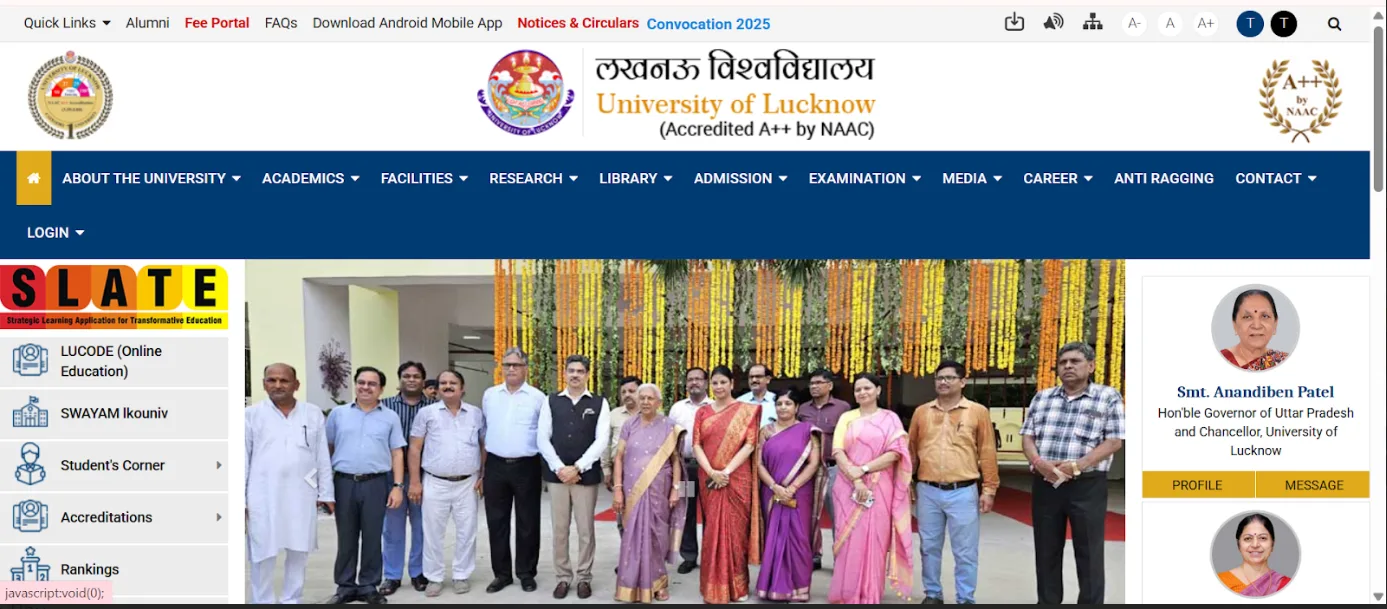
Step 1: Visit the Lucknow University official website at lkouniv.ac.in
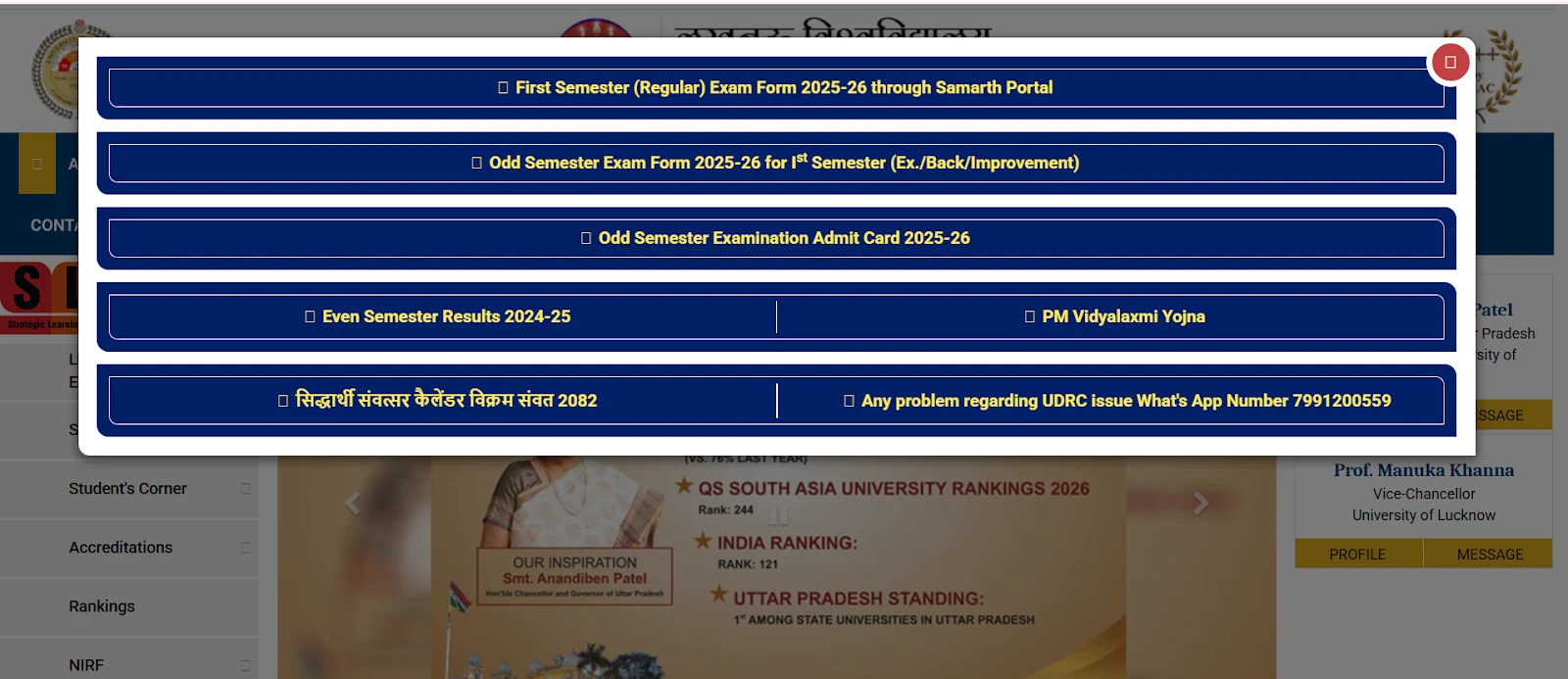
Step 2: A pop-up will appear with the link to download the LU odd semester examination admit card 2025.
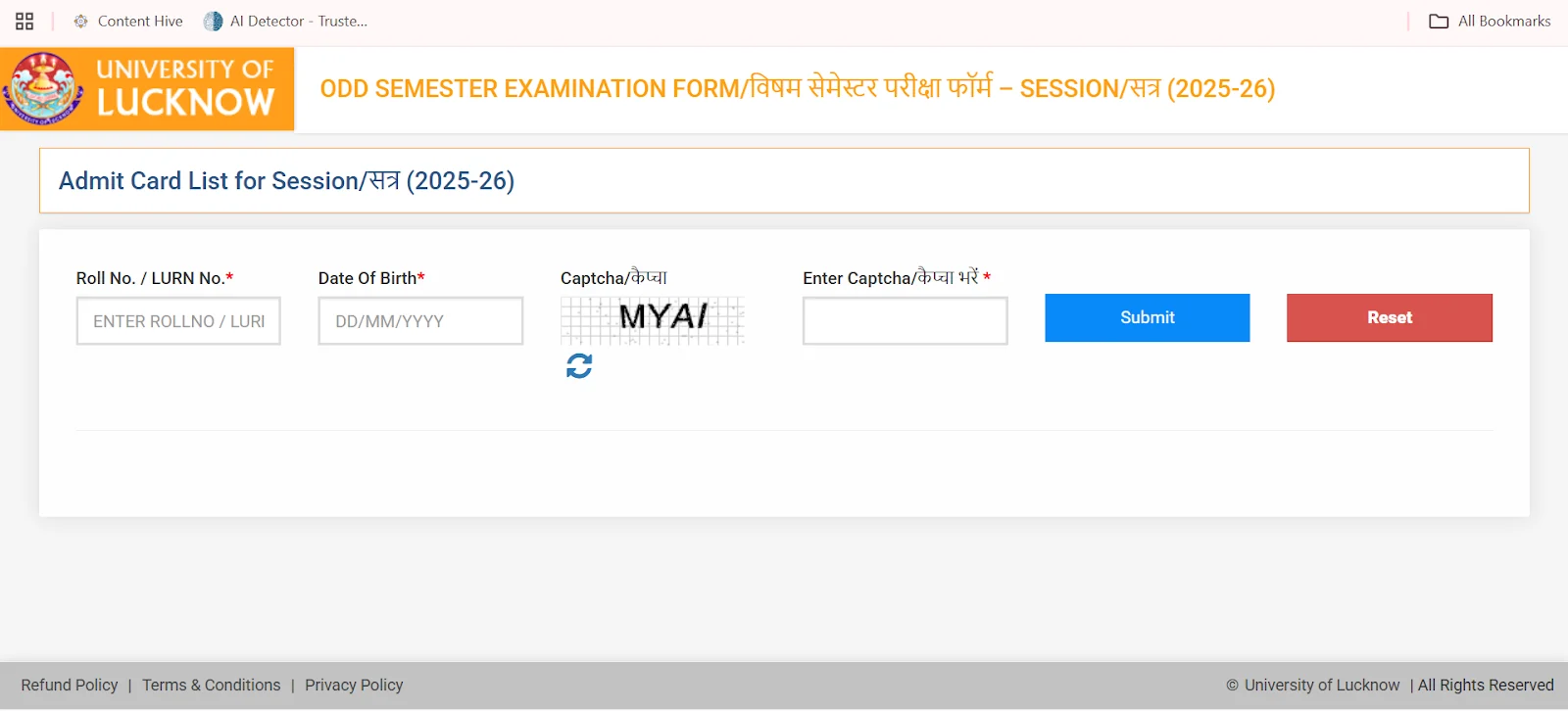
Step 3: Select the link on the pop up link and then login with your credentials to the portal.
Step 4: Click on the admit card to access the PDF link to your admit card.
Step 5: Review all the details and then download your admit card for presenting at the day of the examination.
If there are any discrepancies like spelling errors, wrong exam centre, etc., students should contact LU’s examination authorities before the exam. It is important because admit cards are mandatory for entry into the exam hall.